10 Warning Signs Your Data Center Has Hidden Cooling Problems
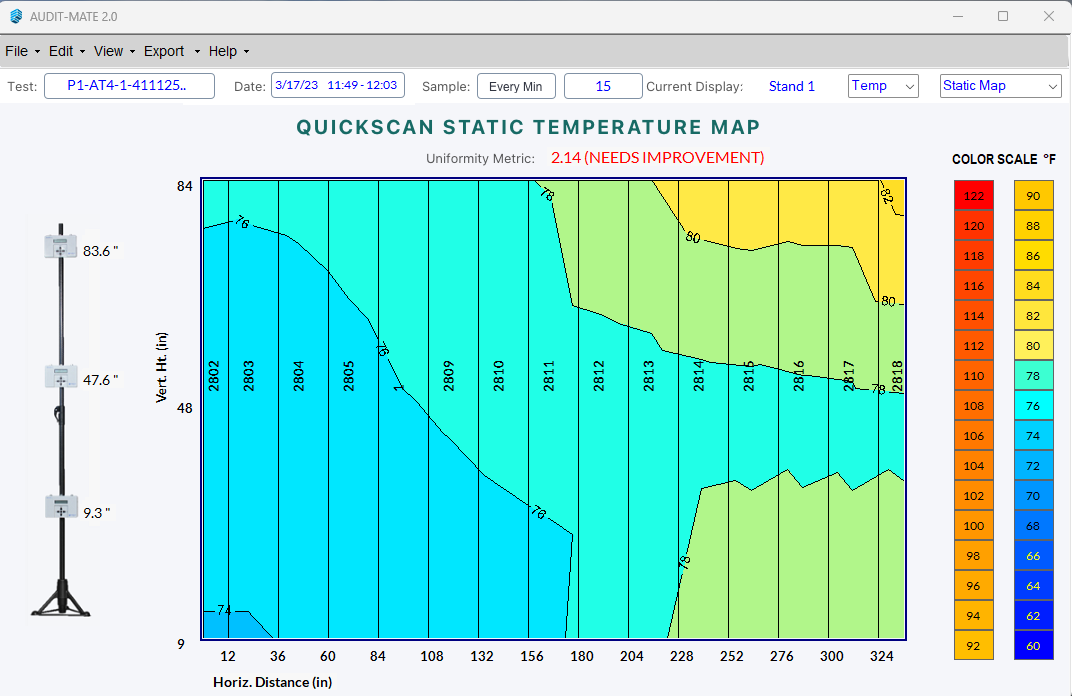
Most cooling problems in data centers do not start with alarms. They develop slowly—small airflow imbalances, layout changes, or density increases that gradually push the cooling system out of balance.
From the outside, everything may appear normal. Cooling units are running. Temperature sensors look acceptable. Yet somewhere in the room, heat is building.
Operators usually notice the problem only after a hot rack appears or an alarm triggers.
The good news is that cooling systems typically show early warning signs before those failures occur. Learning to recognize these signals helps operators identify hidden thermal constraints before they impact reliability.
Below are ten of the most common warning signs that airflow or cooling performance may be limited.
1. Uneven Rack Temperatures
In a healthy cooling environment, racks in the same row should experience relatively similar inlet temperatures.
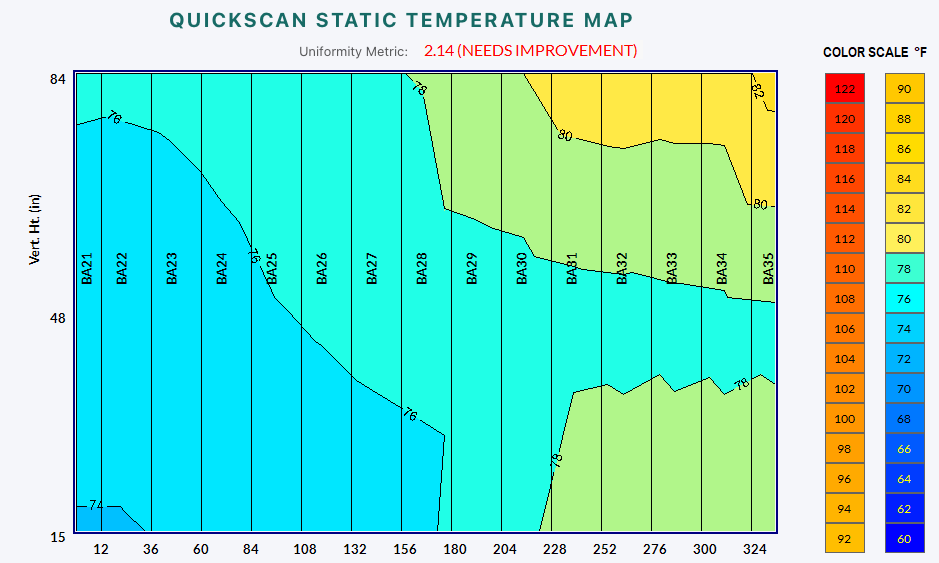
If some racks are consistently warmer than others—even when workloads appear similar—airflow distribution may be uneven.
Common causes include:
blocked floor tiles or vents
missing blanking panels
airflow leaks around containment
uneven server airflow demand
Uneven temperatures often indicate that cooling is not reaching all racks equally.
2. Hot Spots That Appear and Disappear
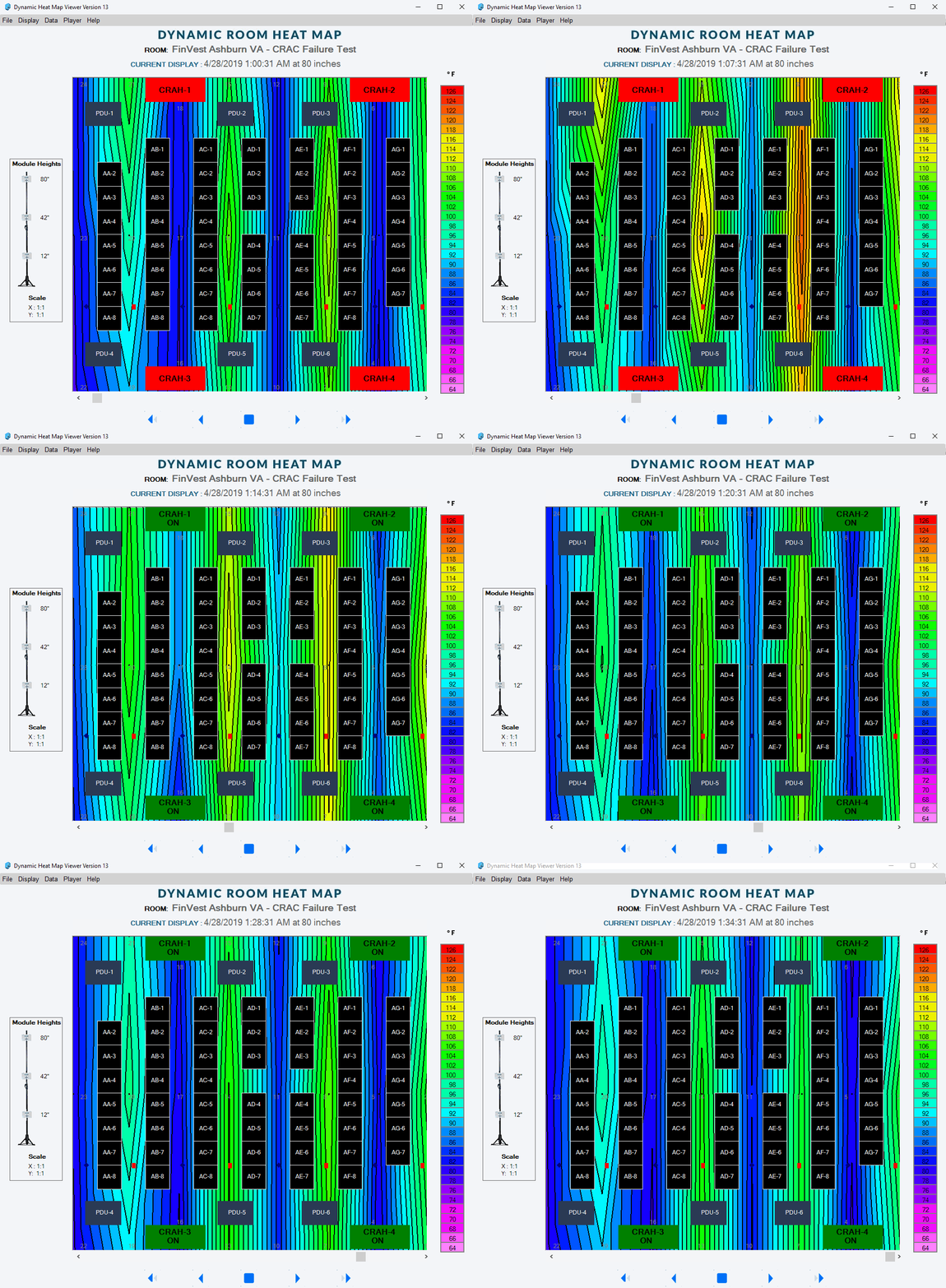
Hot spots that move around the room can be a sign of unstable airflow patterns.
Operators may notice that a rack runs hot during one week but appears normal later, only for another rack to heat up.
These shifting hot spots often result from:
airflow recirculation
containment leaks
changing server loads
Because airflow patterns change with workload and fan speed, these issues can appear intermittent.
3. Overcooling in Parts of the Room
One of the most common cooling inefficiencies is overcooling.
Some racks receive far more cold air than they need, while others struggle to get enough airflow.
Signs of overcooling include:
extremely low temperatures in cold aisles
low Delta-T across cooling units
high cooling energy use without clear benefit
Overcooling can hide airflow problems while wasting energy.
4. Rising Rack Density
Server power density has increased dramatically over the past decade.
Facilities designed for lower densities often experience airflow challenges when higher-density racks are introduced.
As rack loads increase, operators may begin to see:
localized hot spots
higher server fan speeds
cooling units running near capacity
Higher density amplifies airflow distribution problems that previously went unnoticed.
5. Alarms Without an Obvious Cause
Temperature alarms sometimes appear even though average room temperatures seem normal.
This usually occurs because sensors monitor only a small number of locations in the room.
Rack-level conditions can vary significantly, meaning:
a single rack may overheat
surrounding sensors remain within limits
When alarms appear without a clear explanation, the issue may be localized airflow problems rather than a system-wide failure.
6. Server Fans Running at High Speed
Modern servers adjust fan speeds automatically based on inlet temperatures.
When airflow delivery becomes inconsistent, server fans often compensate by running faster.
Signs include:
increased fan noise
higher fan power consumption
higher rack power usage
High fan speeds are often an early indicator that servers are struggling to get enough cool air.
7. Cooling Units Working Harder Than Expected
Cooling units that run continuously at high output may indicate poor airflow management.
Even when the installed cooling capacity should be sufficient, airflow problems can force units to work harder.
Operators may observe:
cooling units running constantly
high fan speeds in CRAC/CRAH systems
reduced temperature differences across cooling units
These conditions suggest that airflow paths may be inefficient.
8. Temperature Differences Between Adjacent Racks
When neighboring racks have large temperature differences, airflow distribution is likely uneven.
In some cases, one rack may receive strong airflow while the rack next to it receives very little.
This can occur due to:
tile placement
cable openings
containment leaks
obstructions under raised floors
Large temperature differences between adjacent racks are rarely expected in a balanced airflow system.
9. Electrical or Power Rooms Running Hot
Cooling problems are not limited to the server floor.
Battery rooms, UPS spaces, and electrical distribution areas often develop heat buildup because they receive less attention during cooling design.
Operators may notice:
elevated temperatures in electrical rooms
localized hot equipment
inconsistent airflow in support spaces
These areas are critical to reliability and should not be overlooked.
10. Cooling Capacity That Cannot Be Used
One of the most frustrating situations for operators is stranded cooling capacity.
The facility may have sufficient cooling equipment installed, but airflow problems prevent that capacity from reaching the racks that need it.
This often appears as:
hot racks despite available cooling capacity
low Delta-T across cooling units
overcooled areas elsewhere in the room
In many cases, improving airflow management unlocks cooling capacity without installing new equipment.
What These Signs Mean
Each of these warning signs suggests the same underlying issue:
The cooling system may not be delivering airflow where it is needed.
Because airflow behavior can vary across a room, these problems are often invisible when only a few sensors are monitored.
Recognizing these signals early helps operators investigate airflow patterns before reliability is affected.
Not Sure If Your Data Center Has Cooling Risks?
Many cooling problems remain hidden until they cause hot racks or unexpected alarms.
Take our Cooling Risk Quiz to see how your data center compares to common airflow patterns found in real facilities.
The quiz takes about two minutes and highlights whether your facility appears to be at low, medium, or high risk for hidden cooling constraints.
About Purkay Labs
Purkay Labs helps data center operators understand how cooling systems actually perform inside live facilities.
Using portable measurement tools such as the AUDIT-BUDDY® platform, operators can quickly capture rack-level temperature and humidity data across an entire data hall.
These measurements help teams:
locate hidden hot spots
identify airflow imbalances
validate cooling system performance
uncover stranded cooling capacity
Purkay Labs works with colocation providers, hyperscale operators, and enterprise facilities worldwide to improve cooling visibility, efficiency, and reliability.
Want to Learn More on Diagnostics?
Check out these other Keep your Cool Articles or visit our learning resources page.